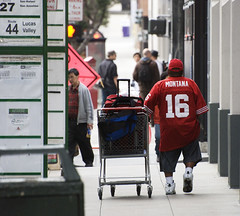
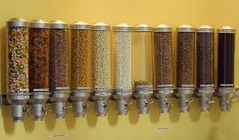
Follow this link to the gallery of pictures we took at the Princeton Art Walk this past Saturday. This is a most unusual event put on by the artist community of Half Moon Bay and the Coastside. Watch for future happenings.
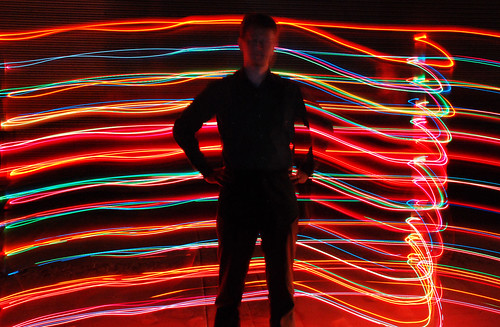

Follow this link to the gallery of pictures we took at the Princeton Art Walk this past Saturday. This is a most unusual event put on by the artist community of Half Moon Bay and the Coastside. Watch for future happenings.
Lori and I will be performing Light Drawing at the Princeton Art Walk tomorrow. This is in Princeton Harbor, Half Moon Bay, CA, starting at 7pm. This is a free and organic event in which artist’s open their studios and homes to an evolving display of interactive art. Most activities will be up and down Harvard Street. Look for us after dark to be projecting near real time light drawings on the sides of buildings.
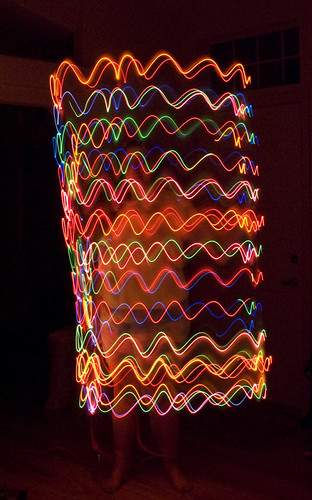
For more details, see this article in the Half Moon Bay Review and this PDF document for the schedule of events.
See you there!
This was taken 2 weeks ago and is my first attempt at the mature subject of the Golden Gate Bridge peeking out of the fog. Taken from the Marin Headlands, be prepared to sit around waiting for the right conditions. Bring a book or load the iPod with a collection of photography podcasts. And be prepared for the cold and wind. Also, the fog can move very fast and the picture can be gone in the time it takes you to get out of the car and focus your camera. I did a fair amount of level correction in Photoshop and a little red saturation to get the effect I was looking for. Checking the web cams (see the link in the right column) can help survey the conditions which may change drastically by the time you get there.

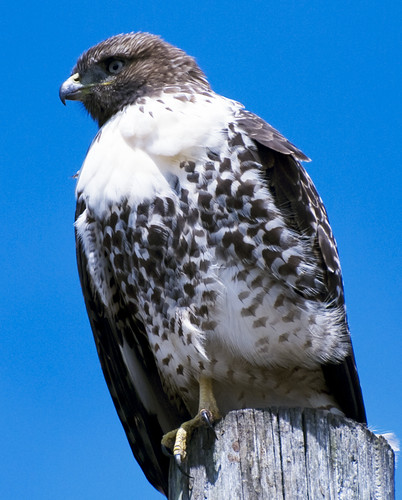
Is this a young redtail hawk? He was fairly big and his tail was not red. Anyway, that is my picture of the day.

Just driving down Highway 1 and noticed the irrigation and Johnson House in harmonic convergence. Click the picture for a larger view.

Our last photography workshop discussed the online photo hosting site, Flickr and here are the notes I prepared:
In addition to hosting pictures from photographers around the world, Flickr also functions as an online community and a social networking site and can be used to meet other photographers that share your interests. Keep in mind that Flickr’s primary function is to display your pictures and you can choose what others see or how much you interact with anyone else. In short, it is nothing like Facebook, no one is bugging you to be their friend and there are no ads when viewing your pictures, even for the free accounts. There is one ad on the free account when you go to your Flickr home page, but it is small.
According to Wikipedia, as of June, 2009, Flickr hosts 3.6 billion pictures. It was started by Ludicor in Canada in 2004 and bought by Yahoo in 2005. At that time, all content was moved to the United States and is now subject to US laws. It is currently the most popular photo hosting site.
There are both free and Pro accounts available. The free account limits your picture upload to 100 megabytes a month. The Pro account cost $25 for a year and allows you unlimited uploads. You can upload video, all accounts are limited to 90 seconds for each movie and pro accounts may upload High Definition video.
A note on the upload limit – if you have a free account, do not directly download pictures from your 10 megapixel camera into Flickr. Learn to use software to reduce your image files to a much smaller size while retaining picture quality. This will allow you to upload many more pictures taking full advantage of your free account. And select only your best pictures to upload. Leave the blurred and duplicate pictures out. You wouldn’t put those blurred pictures in your photo album.
A Yahoo ID is required to join. If you do not have a Yahoo ID, Flickr makes it easy for you to complete the form to get one.
Flickr is used by amateur and professional photographers as a quick and easy way to share their work with friends, family and clients. Bloggers use it as an easy place to store photos to use on their blogs and to allow others to use for web content or printing.
I find Flickr very easy to use and configure to my specifications. You control all privacy settings for photos, whether the general public can see them or just friends and family who are members. You can send guest passes to non members to see pictures you listed as private. You have some control over how your gallery appears to others. You can organize your photos into sets and collections. And there is plenty of assistance provided by Flickr to help you get the most out of your page.
Censorship (what you see) defaults to the strictest level, suitable for minors. You can adjust what you allow yourself to view from there.
There are few restrictions to what people can post. This is regulated only by the country from which you are viewing. Germany and China have very strict restrictions on what their citizens may view on Flickr.
Beyond publishing my photos, I find real value viewing the work of others. If you seek to improve your photography, looking at and analyzing other photos is an excellent way to learn. Some people follow their own course and prefer not to be influenced by other work. More power to them. I find other work very interesting, educational and inspiring and find Flickr is an excellent source for help and ideas.
Groups – Search out groups within Flickr, there are thousands of them, each with a specific theme in mind and thousands of people contribute to these groups everyday. If you need inspiration or want to learn a new technique, visit a group with a theme that interests you. You can view the photos by selecting from thumbnails or run a slideshow of the entire pool. Again, looking at and evaluating other’s work is a great way to further your abilities.
Some great groups to visit are “The Commons” and “Explore”. The Commons hosts photos with no known copyright restrictions and is filled with pictures from the Library of Congress, the Smithsonian Institute and many international libraries, museums and colleges. Explore hosts “most linked to” and “most viewed pictures” and represents an amazing collection of random work from around the world. I also enjoy a group called “Light Junkies”, a collection of light drawing and long exposure photography. Use the search engine at the top of the page to locate your interests.
The Commons is here: http://www.flickr.com/commons/
Explore is here: http://www.flickr.com/explore/
Light Junkies is here: http://www.flickr.com/groups/lightjunkies/
Here is one for the Golden Gate Bridge: http://www.flickr.com/groups/ggb/
Interact — You can comment or add overlay notes on any picture which the owner allows comments. You can join groups, add your photos, join in on discussions in each group’s forums and receive feedback on your pictures. Tag your photos with key words to help you sort through your photos and to help others discover you too. Commenting and receiving feedback can enhance everyone’s experience and provide valuable insight.
Protect Yourself – You knew it sounded too good to be true, but actually, it’s not so bad. There are a few things you should consider when you post pictures online. Posted pictures can be copied. Every digital picture contains data such as when the picture was taken and the camera settings. It can hold your name and contact information to protect your copyright privileges. You should make sure that your contact information is embedded in each photo you post. This gives you some form of copyright protection and gives others the ability to contact you if needed. The only way to completely be sure your work is never copied is to never post it. So, you need a level of trust to participate in the fun.
Obey the rules – Be aware that Flickr maintains the right to delete your account and all the pictures at any time for any reason. There have been a few complaints and disputes but there are usually facts missing from what I have read. These problems are rare. The rules are not unreasonable. Stay in the boundaries and keep copies of your pictures on your own computer.
Spend time setting up your Flickr profile. There are some copyright settings there too. That is where you determine who can see your pictures and if they can comment on them.
Flickr makes it easy to view various sizes of your picture, embed them into web pages and share them via email. It goes on and on and new features are instituted all the time. I use Flickr everyday, enjoy the interaction, learn from others and (until I find something grossly wrong) recommend it to everyone. Have Fun!
Reference: Derek Story produced a podcast (#175) on the Digitalstory website entitled “Top 10 Flickr tips”. Check it out.

Red-winged Blackbirds — PHOTO BY GARRETT LAU
The San Francisco Bay Bird Obsevatory holds a photo contest as part of their fund raising activities and the submissions period starts today with a deadline of October 9.
“The San Francisco Bay Bird Observatory is dedicated to the conservation of birds and their habitats through science and outreach, and to contributing to informed resource management decisions in the San Francisco Bay Area.”
Prizes include bird photography workshops with Oliver Klinkworth or Bruce Finacchio and gift certificates from Borrowlenses.
Read all the details on their web site: http://www.sfbbo.org/support/clickoff/clickoff.php
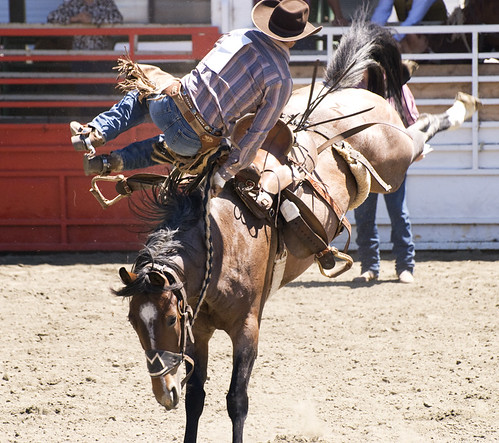
It was a busy 3 days and a good chance to practice sport action shooting. Huge swells hit the bay area and the surfers hit the water. I caught some shots at Steamer Lane on Thursday, Half Moon Bay on Friday and then went to the Driscoll Ranch Rodeo on Saturday.


There are a wide variety of photogenic sites around the San Francisco bay area, each with their own micro climate and access challenges. The fog may be in or out, it may be cloudy in one area and sunny just a mile away, the surf may be up or flat, the traffic to that site may be insurmountable. Before I drive or hike somewhere to take pictures, I often check the conditions via the many web cams located around the bay area. Here is a list of active web cams I find useful. Some cameras allow you to take control to pan and zoom the scene.
SanFranciscoBay.com has the most complete collection I have found to-date.
SFGate and CBS5.com have their own similar collections.
But there are more:
Controlable “Alcatraz” cam which is actually from Sausalito.
SurfLine.com links to all available cameras pointed at the ocean in addition to listing surf conditions. Explore this site to find reports and surf cams from around the world. this link takes you to Central California.

Hi-Def San Francisco (pictured above) monitors the bay and skyline from Sausalito, tracking ships and offering time lapse movies of interesting days.
SamCam at Sam’s Chowder House in Princeton Harbor will give you an idea of the weather conditions in Half Moon Bay.
For traffic conditions, I check SFGate’s traffic page and 511.org for a live map of drive time and highway speeds.
I also monitor the Bay Area Air Quality Management District looking for clues to air clarity.
That’s a start. I’ll list more as I find them and l’ll link this post for easy access on the side of this blog.
Happy viewing!
I participated in Scott Kelby’s Worldwide Photo Walk this past weekend. Over 30,000 people participated around the world.
A photo walk is a group of photographers getting together in one place, ambling through a town, and photographing anything that moves or doesn’t, basically terrorizing the natives. You discuss equipment, techniques, composition or anything you can get them to talk about. Just watching what they photograph is a learning experience. I wholeheartedly endorse this annual event.
View images from the walk that I posted on Flickr here.
View the San Francisco North Beach Walk group photos here.
And view walk photos from around the world here.